

portalhunter
New member
- Joined
- Dec 4, 2024
- Messages
- 27
- Reaction score
- 22
- Location
- Arizona
- Website
- truck.bdigitalmedia.io
- IG Page
- Visit Instagram
- Tacoma
- 2024 Tacoma Trailhunter
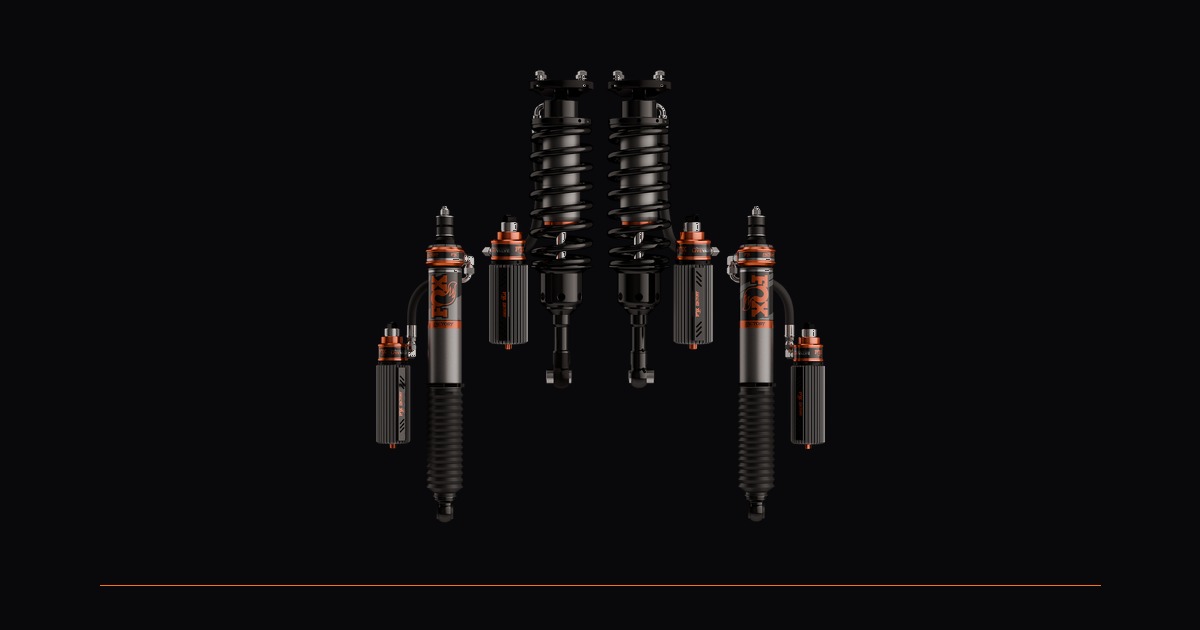
About to pull the trigger on Fox's 3.2 Live Valve for my Trailhunter. $8,495 out of my own pocket, no sponsorship. Currently running custom valved Kings with reservoir adjusters — they perform great, but my usage is all over the place and I'm tired of the compromise.
One weekend I'm chasing Jay's long travel Tundra through Johnson Valley. Next I'm crawling rocks near Table Mesa with guys in stock Tacomas. Then I'm driving 20 hours to Montana in -15 degree weather. Tuesday it's football practice in the suburbs. The Kings are dialed for one of those scenarios. Live Valve supposedly handles all of them without getting out of the truck.
Before I spend the money I went through both of Fox's Tacoma-specific install videos frame by frame. Almost nobody has seen these — combined 800 views when I found them. Here's what I learned:
What's in the box
- 4x Factory Race Series 3.2 Internal Bypass shocks — each one has an electronic solenoid valve that controls compression damping by restricting fluid flow. Not a manual adjuster. A computer-controlled valve.
- ECU — the brain. Runs Fox's "Live IQ" algorithm. Mounts under the driver's side carpet, sandwiched between the seat bolts and the floor.
- IMU — accelerometers and gyroscopes. Measures pitch, yaw, and roll. Mounts in the center console on double-sided tape.
- CAN sensor — taps into the truck's data network. Reads speed, steering angle, brake pressure, and throttle. Clamps onto two wires on a 34-pin connector. No cutting, no splicing.
- Mode selector — red dial, mounts left of the steering wheel. On-Road, Off-Road, Custom. Pairs via Bluetooth. Press start/stop 11 times to pair (seriously).
- Full wiring loom — labeled branches to all four corners. Routes through the cab floor to the frame rails.
Not new tech
This is the same system that's been in Ford Raptors since 2019. Baja trucks have run Fox semi-active for years. What's new is that Fox is selling it as a bolt-on aftermarket kit. Sensors sample at 400Hz. Damping responds in milliseconds.
The install is involved
Shock swap is straightforward — 3-4 hours if you've done coilovers before. Top hat nuts to 24 ft-lb, reservoir clamps to 76 in-lb. Standard stuff.
The electrical side is where it gets real. Fox's video runs 19 minutes. Both front seats come out. Entire center console gets pulled. Gear selector removed. Wiring routes through holes in the cab floor, down the frame rails to each shock. You're tapping into the CAN bus, mounting the IMU, bolting the ECU under the carpet, running power to the hybrid battery under the rear seat, and tapping the ignition fuse at slot F5.
SDHQ is handling my install. Plan 5-6 hours for the electrical side alone if you're doing it yourself.
Is it worth $8,500?
Don't know yet. Fox 2.5 Elites run about $3k. King 2.5s around $4,500. OME BP51s around $3,500. Live Valve is nearly double the most expensive passive option. But it's not just a shock — it's a shock plus an entire electronic control system that adjusts four corners independently based on what you and the terrain are doing right now.
I wrote up a full technical breakdown with screenshots from every install step:
Full breakdown on the blog
Anyone else looking at these? Curious what people think about the price.
Follow the build: @portal.hunter
More content: truck.bdigitalmedia.io
Last edited:


 As long as you dont pull up with your AP and tune installed for any major work, I cant see how it would be a problem.






















